Locate vehicles quickly
Find each vehicle on the plan, by site and level, using the available identifiers.
Vehicle fleet operations
A shared view of your spaces, vehicles, and movements. Parking Connect helps field teams organize their vehicle fleet without extra calls and spreadsheets.
A conversation about your site and the way your teams work.
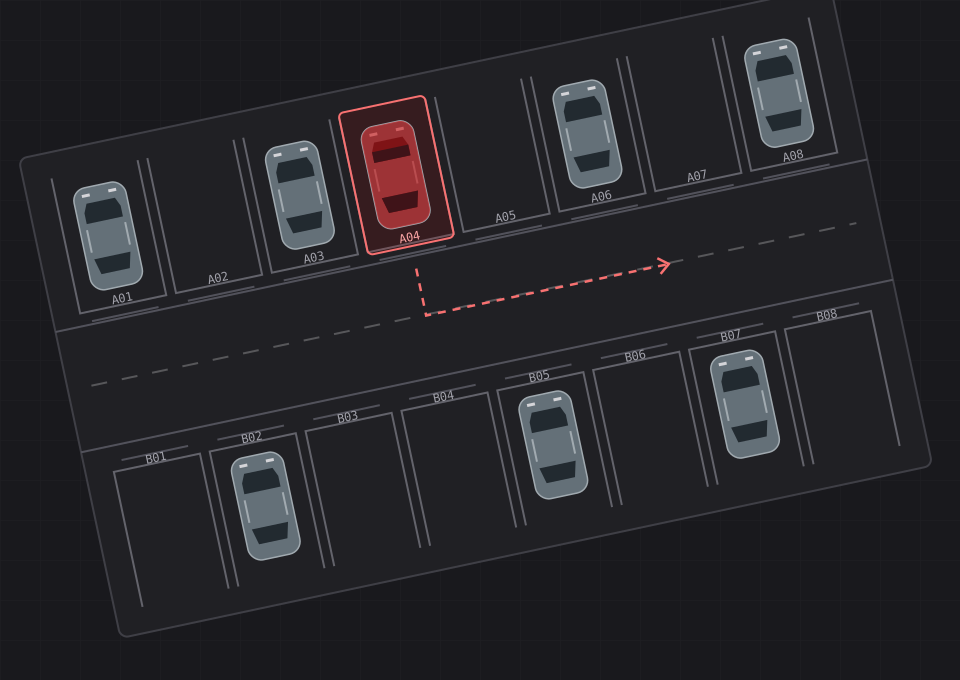
Read the plan
The plan links vehicles to spaces. Location mode highlights the space you are looking for; transfer and reservation markers remain visible to help prepare the next step.
Simplified, non-interactive diagram with fictional data. ANT and BRU are examples of configurable destination codes, not mandatory sites. Real actions depend on account permissions.
Demonstration site · Level 0
Located vehicle
VH-042 · A04
In location mode, the target space is red and the rest of the plan is anthracite. A contrasting bar indicates occupied spaces.
The badge shows the destination site code when a transfer is planned. A marker such as N1 indicates the target level for a level change. A badge does not mean the transfer has been completed.
R marks a space reserved for a vehicle but not yet occupied. Authorized accounts can view the reservation, confirm placement or cancel it. It is not a vehicle sales status.
From the plan to a cost estimate
Start with a site plan — an authorized aerial image or a plan supplied by the operator — then define areas and levels before linking spaces, vehicles and contacts.
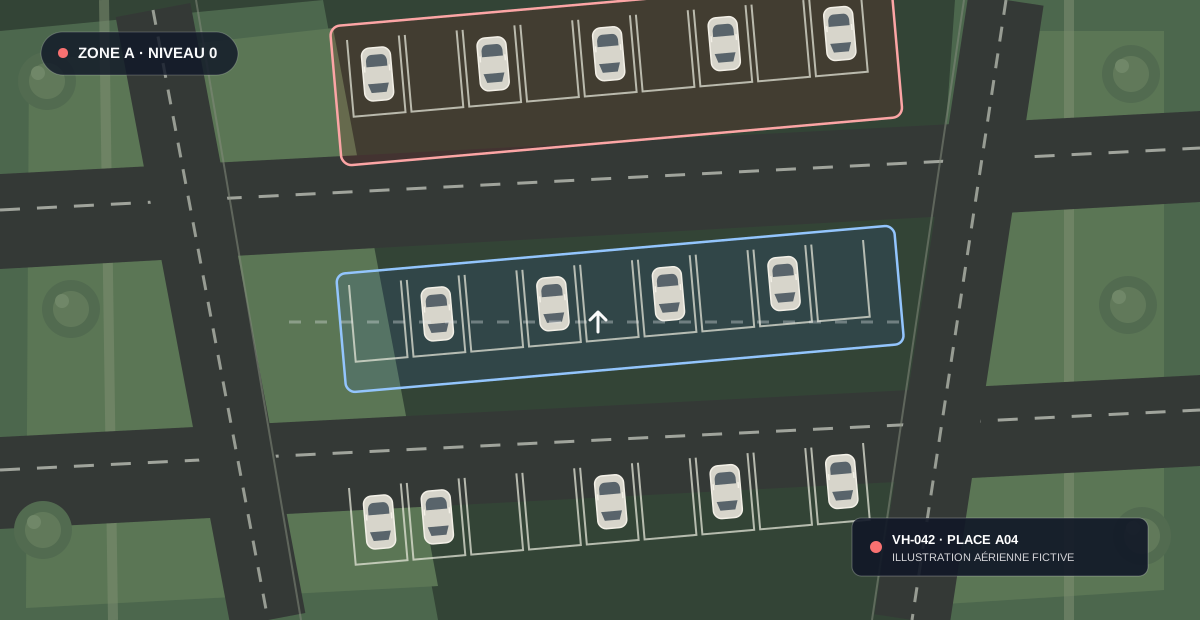
The operator supplies a plan or image they are authorized to use. Identify rows and access lanes.
Areas on the plan provide visual landmarks. The application is structured around sites, levels, parking areas and spaces.
Link vehicles to spaces and parking areas to contacts. Colors aid identification; daily rates follow your operating rules.
Scope setup, sites and transfer volumes with Krakento. Pricing and the commercial estimate are available on the Krakento website.
Parking colors and daily rates follow your operating rules. They are separate from the Parking Connect subscription price. Solution costs depend on your sites and transfer volumes; see the commercial estimate on Krakento.
Estimate your budget on KrakentoFrom the office to the field
Find each vehicle on the plan, by site and level, using the available identifiers.
Track parking durations and their value based on the daily rates you configure.
Prepare individual or batch transfers and follow the handover stages.
Review occupancy statistics and stay durations to follow activity across your fleet.
Structure your fleet by site, level and space, with access tailored to each team.
Configure services and track vehicle preparation and cleaning tasks.
Overview
Six uses in one minute: location, stays, transfers, statistics, sites and services. An illustrative film with French on-screen text and music, without narration.
Open the MP4 videoLocate vehicles quickly; value stays using configured rates; organize individual and batch transfers; analyze occupancy and durations; add sites; organize preparation and cleaning services. Features depend on account permissions and enabled modules.
FAQ
A clear scope before preparing your demonstration.
Dealership, vehicle storage and logistics teams that need to coordinate vehicles, parking spaces and field operations.
Yes. The fleet is structured by site, level and space. Each account can access the sites and actions authorized for its role.
Parking durations are tracked and valued using configured daily rates. This valuation is not a promise of automatic invoicing or an accounting outcome.
Yes. Authorized accounts can prepare an individual transfer or select several vehicles for a batch, then follow the handover stages.
The catalogue lets you configure services and track tasks linked to vehicles, including preparation and cleaning, depending on enabled modules.
Connections to your tools must be assessed against the interfaces available. Scope, access and data exchanges must be confirmed together; universal compatibility is not promised.
Learn more
Read about the use cases, main capabilities, and points to scope for your fleet in your language.
We can clarify the scope and integration needs with your team.